gan89 Casino Mobile App
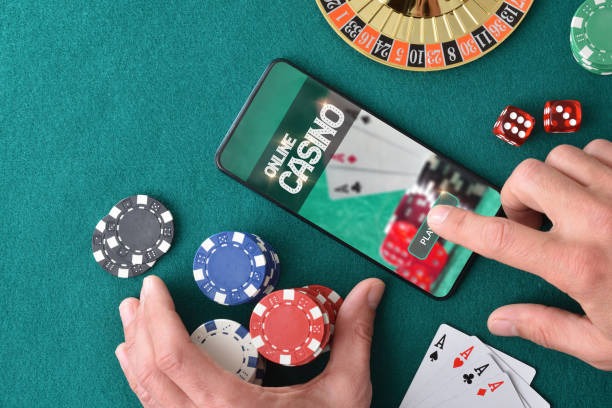
We at gan89 offer a mobile app and web-based platform so you can access football markets, live-dealer tables, slots, and esports from any device. Our app works on Android and iOS, and our web version runs on any modern browser. The mobile-first design keeps your account, wallet, and betting history synchronized across all platforms.
- Installin
- LoginOTP Verification
- and
Mobile access to gan89 means you can place bets on Liga 1, Piala Indonesia, Piala AFF, and Champions League matches during live play. You can also access our live-dealer studios (blackjack, roulette, baccarat, Dragon Tiger) and spin slots like Aviator, Sweet Bonanza, Gates of Olympus, Fortune Tiger, and Mahjong Ways. Deposits and withdrawals via DANA, e-wallet, mobile banking, local payment, online payment, e-wallet, mobile banking, local payment, online payment, and e-wallet are processed the same way on mobile as on desktop.
Our services are available only where local law permits. By downloading and using the gan89 app, you confirm that you are in a jurisdiction where our services are legal and that you comply with all applicable regulations.
Download gan89 for Your Device
We offer three ways to access gan89 on mobile: an Android APK download, an iOS web app, and a responsive web version that works on any browser. Choose the option that suits your device and preferences.
Direct download for Android 7 and above. Install from unknown sources in your device settings.
Download APKAdd gan89 to your home screen on iPhone or iPad. Works on iOS 12 and above.
Add to Home ScreenHow to Install gan89 on Your Mobile Device
Follow these steps to get started with the gan89 app on Android, iOS, or web browser.
-
Download the app or open the web version
For Android, download the APK file from our download page. For iOS, open Safari and visit gan89.bet, then tap Share and select Add to Home Screen. For web, simply visit gan89.bet in your mobile browser.
-
Create or log in to your account
If you are new to gan89, tap Open an account and fill in your username, email, mobile number, and password. If you already have an account, enter your login credentials.
-
Verify your email and complete KYC
Check your email for a verification link and click it. Then upload your government ID and address proof to complete Know Your Customer verification.
-
Deposit funds and start playing
Choose your payment method (DANA, e-wallet, mobile banking, local payment, online payment, e-wallet, or a bank account) and make your first deposit. Your wallet is credited immediately and you can access all games and markets on gan89.

App vs. Browser: Which Should You Use?
Both the gan89 app and web browser offer the same games, markets, and payment methods. The app version offers faster load times, offline access to your account history, and push notifications for live match updates and promotional offers. The browser version requires no download and works on any device with an internet connection. If you use gan89 frequently during Liga 1 or Champions League matches, the app is recommended for speed and reliability. If you prefer not to install software or use multiple devices, the browser version is equally functional. Your account balance and betting history sync automatically between app and browser, so you can switch between them without losing any data.
Device Compatibility & System Requirements
The gan89 app runs on Android 7.0 and above. For iOS, add gan89 to your home screen on iOS 12 and above. The web version works on any modern browser (Chrome, Safari, Firefox, Edge) on phones, tablets, and desktops. We recommend updating your device to the latest operating system for the best performance and security. If you experience compatibility issues, contact our support team via live chat or email for assistance.
Troubleshooting Common Installation Issues
If you cannot install the Android APK, check that your device allows installation from unknown sources. Go to Settings → Security → Unknown Sources and enable it. If you see a certificate warning, this is normal for APK downloads outside the Google Play Store. Tap Install anyway to proceed. For iOS, if Add to Home Screen does not appear, ensure you are using Safari and not another browser. If the web version loads slowly, clear your browser cache and cookies, then refresh the page. If you continue to experience issues after troubleshooting, our support team can guide you through the installation process step by step.

Data, Permissions & Account Security on gan89
The gan89 app requests permission to access your device's storage (to cache game data and account history) and your internet connection. We do not access your contacts, photos, location, or other personal files. Your account credentials are encrypted and stored securely on our servers. We use industry-standard security practices to protect your personal information, payment details, and account balance. When you log in, your session is encrypted and your password is never stored in plain text. If you suspect unauthorized access to your account, change your password immediately and contact our support team. We also recommend enabling two-factor authentication (if available) and logging out after each session on shared devices.
Key points about the gan89 app
- Available on Android (APK), iOS (web app), and all modern browsers
- Access football markets (Liga 1, Piala Indonesia, Piala AFF, Champions League), live dealers, slots, and esports
- Deposit and withdraw via online payment, e-wallet, mobile banking, local payment, online payment, e-wallet, mobile banking, local payment, online payment, e-wallet
- Your account and wallet sync across all devices automatically
- Contact our support team for installation help or account issues
Support & Help with the gan89 App
If you have questions about downloading, installing, or using the gan89 app, our support team is available via live chat, email, and in-app messaging. We can help with login issues, payment problems, account verification, and technical troubleshooting. Our team responds to inquiries within standard processing windows and can often resolve issues immediately. For urgent account or security concerns, use live chat for the fastest response. You can also visit our FAQ page for answers to common questions about the app, account setup, and payments. Our support team speaks multiple languages and can assist you in your preferred language.